Pick dates
Choose specific dates in the calendar or weekdays for publishing.
Post planner
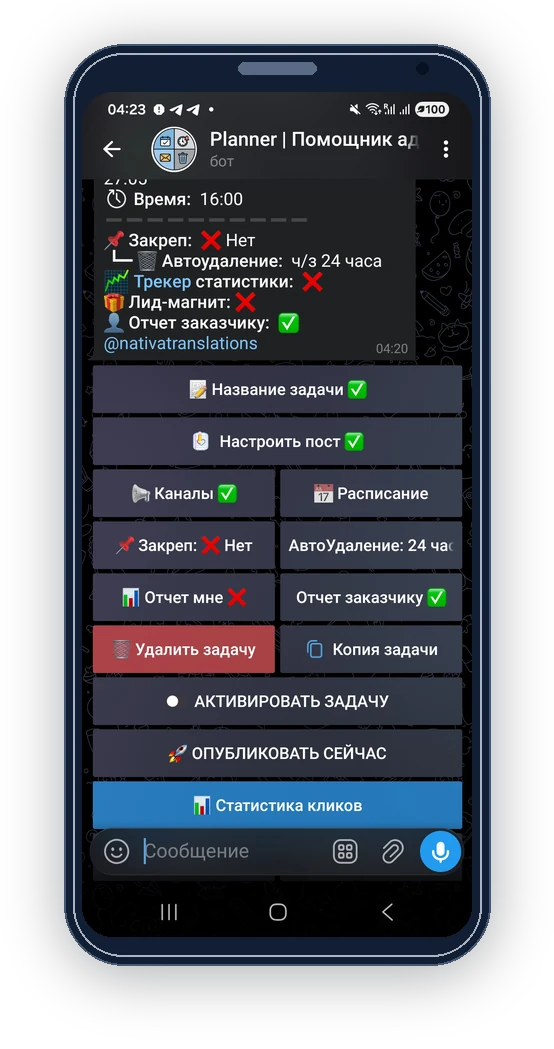
ReklamaPlanbot helps arrange placements by date, time, and channel. You can manage multiple channels and chats without copying the same post manually.
How it works
The planner turns scattered placements into a clear calendar: dates, times, cycles, time zone and channels in one task.
Choose specific dates in the calendar or weekdays for publishing.
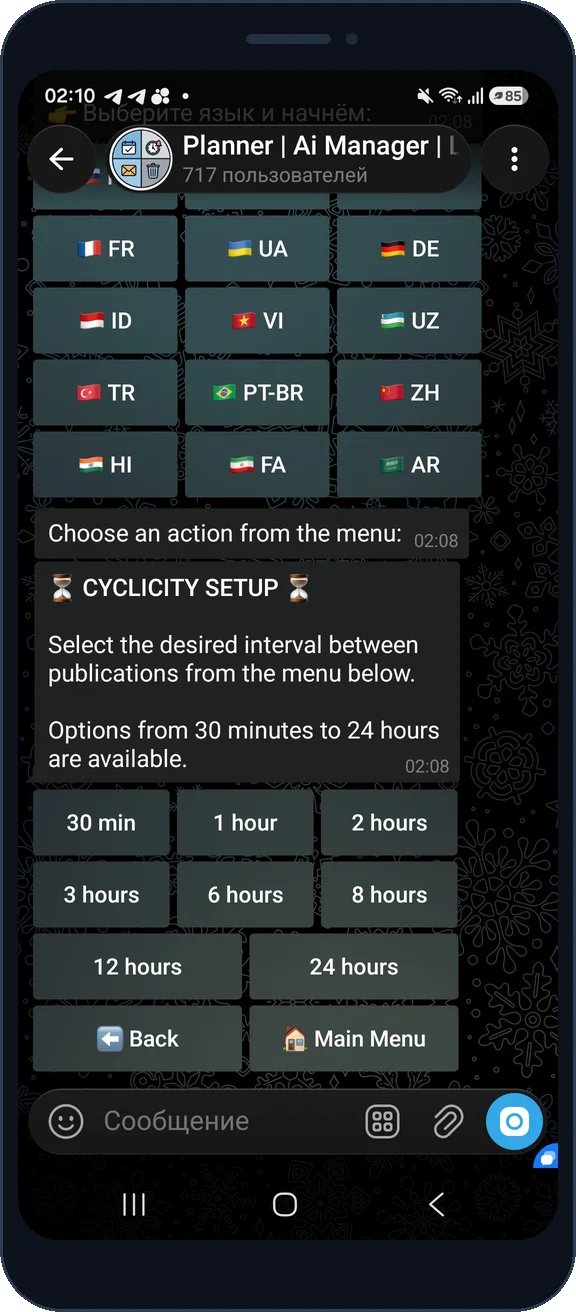
Publish once, several times a day, or at equal intervals.
Times count in your local time, not UTC.
Several channels and chats in one task - the bot posts to all of them.
Pick specific dates months ahead, or publish on chosen weekdays (for example every Monday and Friday). You can't mix dates and weekdays at once - choose one mode. The date limit depends on your plan.
Add several publish times for one day - for example 08:00, 12:00 and 18:00. Each time slot counts separately; the slot limit depends on your plan.
Turn on cyclicity with an interval (30 minutes, 1, 2, 3, 6, 8, 12 or 24 hours) and an optional time range (for example 08:00 to 20:00). The bot publishes automatically while the task is active, without specific dates.
Set your time zone once and every scheduled time is calculated in your local time. Add several channels and chats to one task - handy for networks and cross-posting without manual copying.
Screens
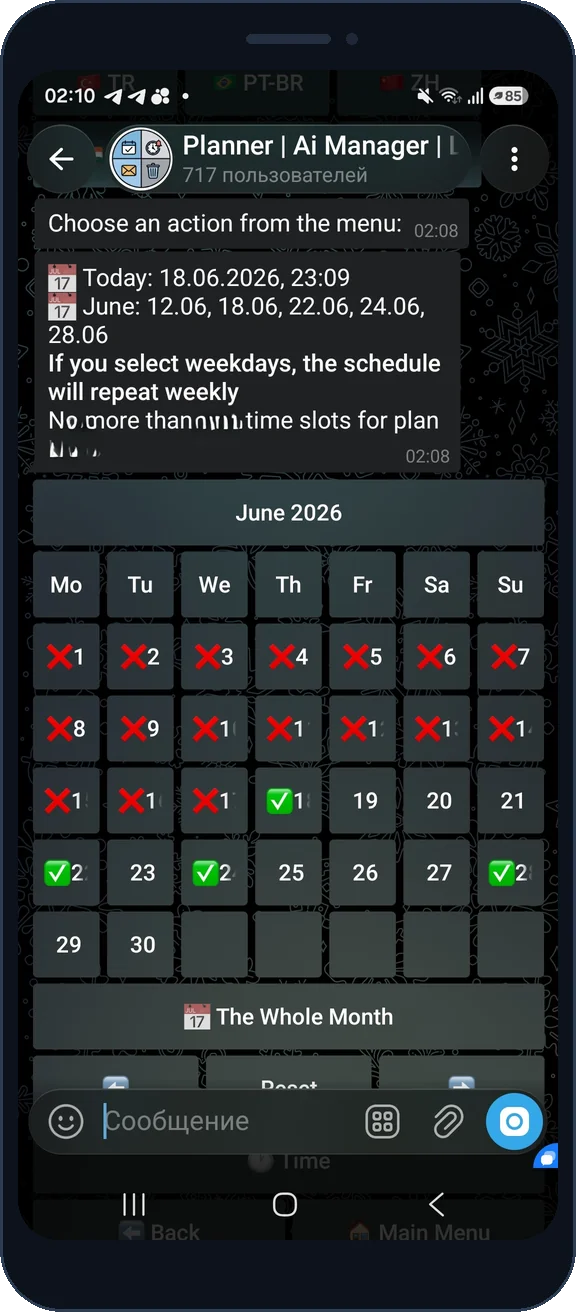
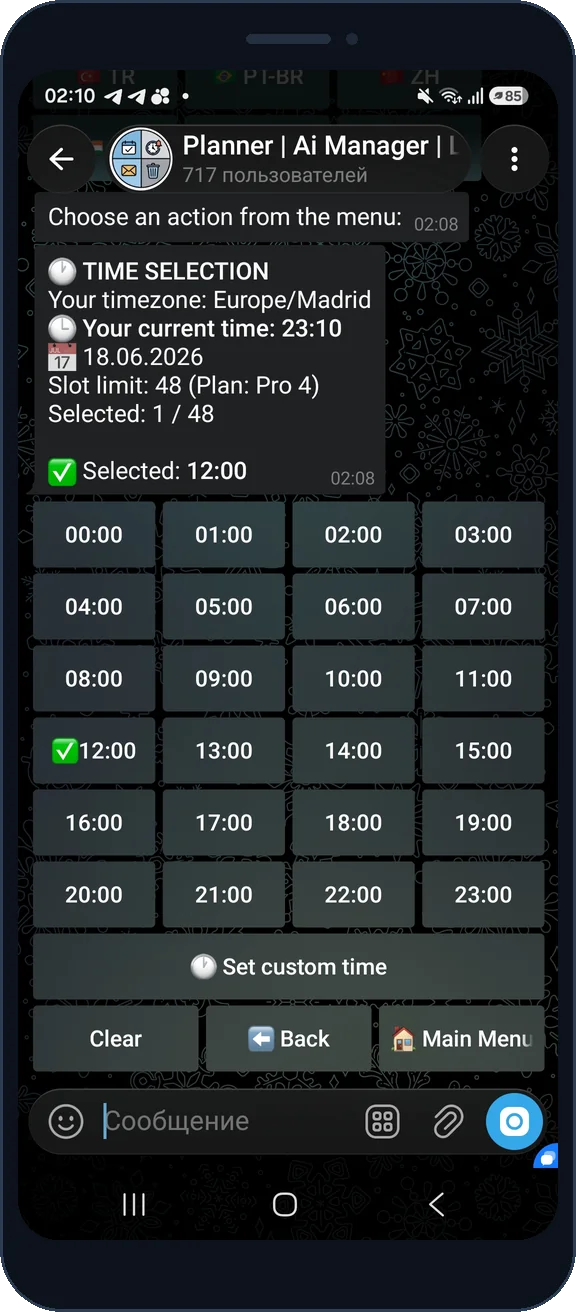
Yes. Pick a specific day in the calendar and set the time in 🕐 Time. The post goes out exactly on that day and hour (in your time zone).
The system doesn't allow mixing the two modes. If you pick a weekday, all specific dates are cleared, and vice versa - to avoid schedule conflicts.
The calendar and time screens show your current limit (for example "up to 10 dates" or "up to 8 time slots") and your plan name. When the limit is reached, the "+" button becomes inactive with a notice.
No, dates aren't needed. With cyclicity the post goes out by the interval schedule, not by calendar. You only set the start time and the end of the period (for example every 2 hours from 08:00 to 20:00).
It depends on the schedule mode: a specific date & time - exactly then; cyclic with a set start time - at the next occurrence of that time, then by interval; cyclic "from activation" (no start time) - within a minute of activation, then every interval; the "Publish now" button - immediately to all placements (and for a cyclic task it restarts the interval count from now). Activated it by mistake? Just stop the task and publishing stops. And if a post has already gone out, the "Recall posts" button deletes the published copies from the selected channels and chats and stops the task.