Referral program

Invite users to ReklamaPlanbot and review referral rewards

The bot's personal invitation program and Telegram's affiliate program have different links and reward conditions. Choose the appropriate program before sharing.

Referral programs

What you can do

  • Find your invitation link and statistics through ‘Plan’ or ‘Settings’.
  • Receive an eligible Pro bonus after a referred user's first qualifying paid purchase.
  • Review Telegram affiliate conditions and Stars rewards in the messenger.

How to set it up

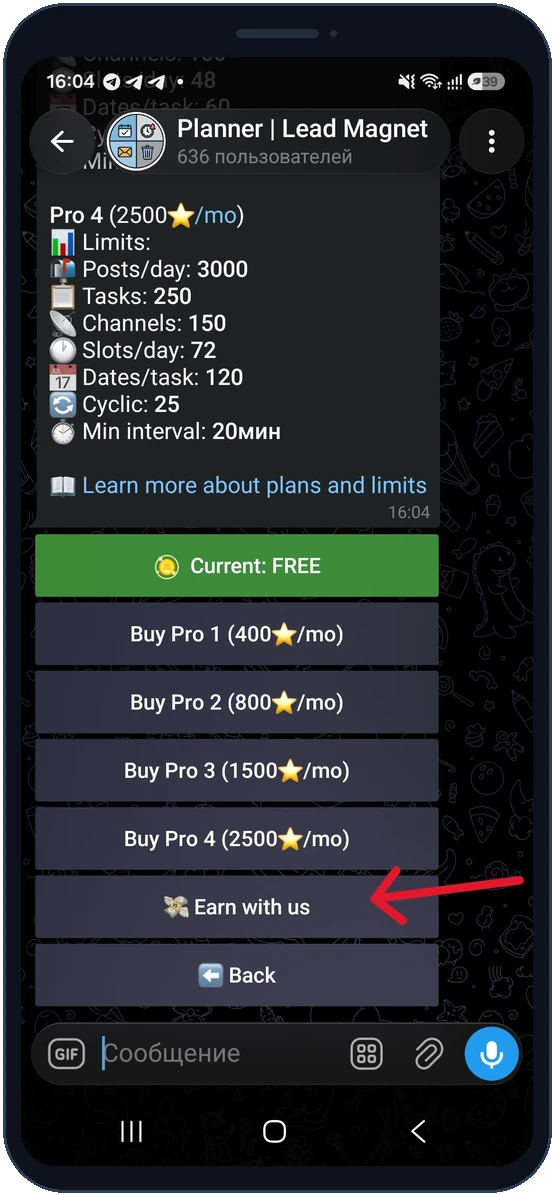
  1. Open ‘Plan’ or ‘Settings’ and choose ‘Earn with us’.

  2. Copy your personal invitation link and share it with interested users.

  3. After the friend's first qualifying purchase, check your bonus and referral statistics.

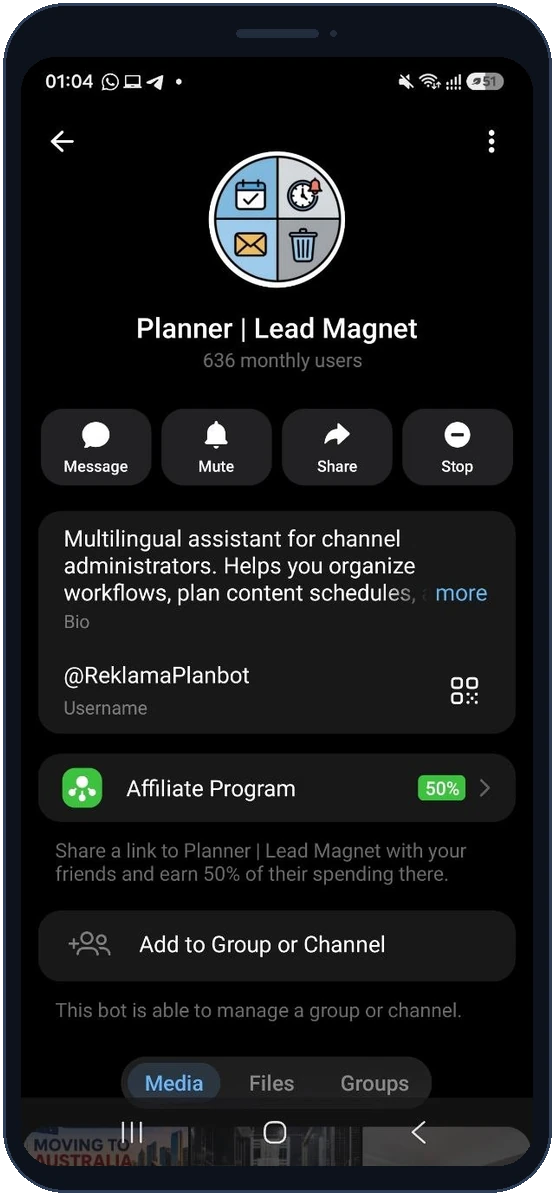
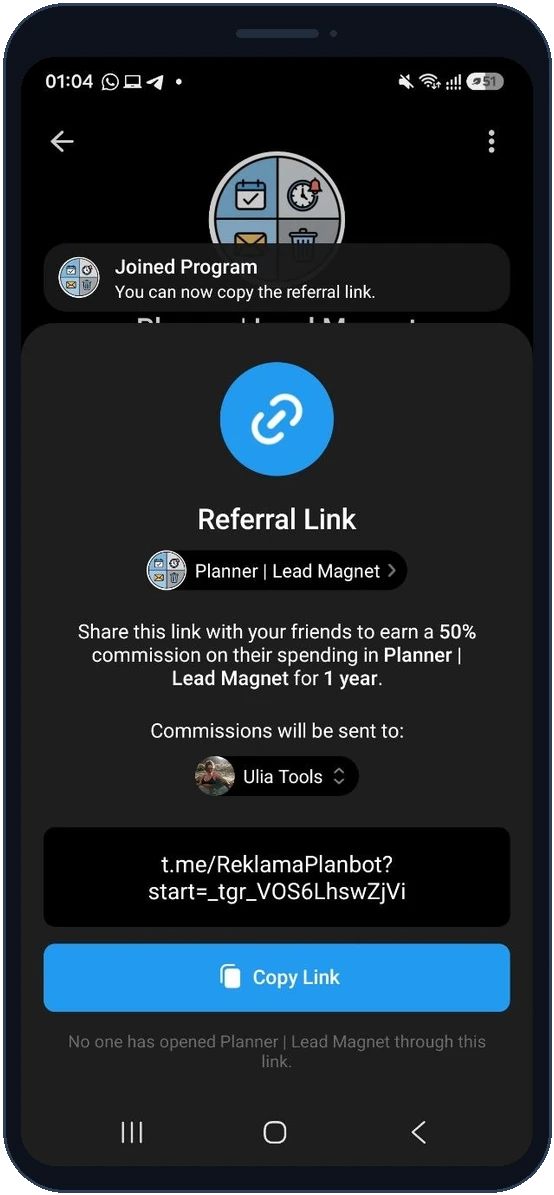
  4. For Telegram's separate program, open the bot profile, find Affiliate Program and review its live offer before joining and copying that link.

Requirements and limits

  • An invitation alone does not grant a bonus. The bot reward is awarded once for a qualifying referred purchase.
  • Bonus duration follows the purchased days, bounded to 1–90. An existing active paid plan is extended without changing its tier.
  • Telegram manages its own affiliate conditions and Stars accounting. Check the current percentage and period on its program card; do not confuse this with the bot's Pro bonus.

Inside the bot

Screenshots show the English interface. Choose your preferred bot language in Settings.

Open ‘Plan’ or ‘Settings’ and choose ‘Earn with us’.
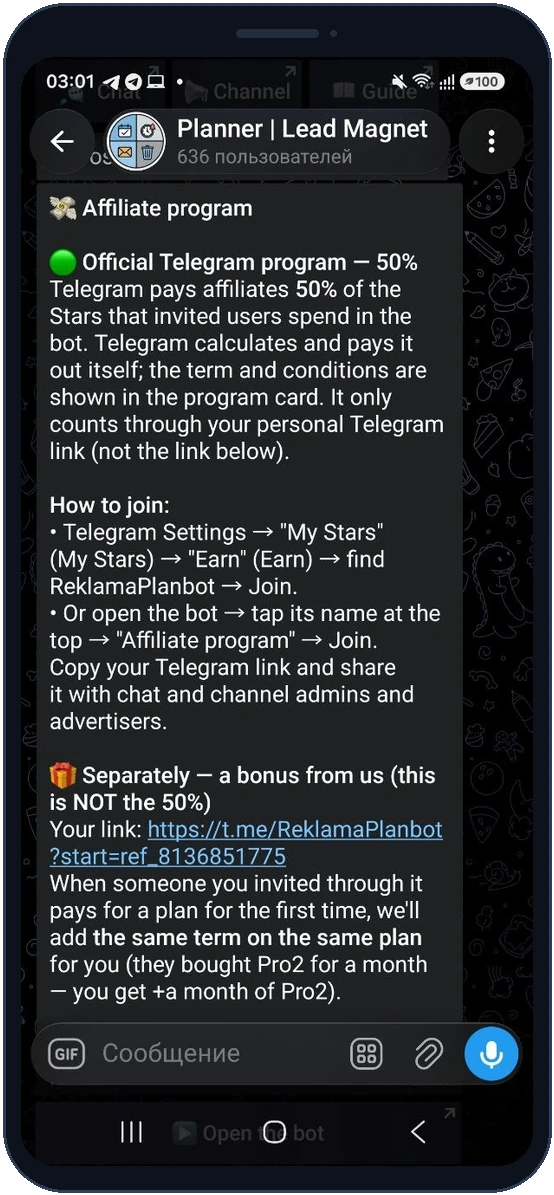
Open ‘Plan’ or ‘Settings’ and choose ‘Earn with us’.

After the friend's first qualifying purchase, check your bonus and referral statistics.
After the friend's first qualifying purchase, check your bonus and referral statistics.

For Telegram's separate program, open the bot profile, find Affiliate Program and review its live offer before joining and copying that link.
For Telegram's separate program, open the bot profile, find Affiliate Program and review its live offer before joining and copying that link.

For Telegram's separate program, open the bot profile, find Affiliate Program and review its live offer before joining and copying that link.

For Telegram's separate program, open the bot profile, find Affiliate Program and review its live offer before joining and copying that link.

Questions and answers

Are the two links interchangeable?

No. Use the personal link belonging to the program you intend to promote.

Where do I check rewards?

Check Pro bonuses in ReklamaPlanbot and affiliate earnings in Telegram's affiliate interface.