Create the magnet
Add a public or private channel/chat, name the magnet and upload the gift: a PDF, file, text, promo code or link.
Lead magnets
A lead magnet is a bonus the bot gives only after a user subscribes to your channel: PDF, checklist, guide, promo code, link, or file.

How it works
A lead magnet is a gift the bot hands out only after a person joins your channel or chat. It also works with private targets without a public @username: with the "Invite users" right, the bot creates an invite link and uses it in the subscription button.
Add a public or private channel/chat, name the magnet and upload the gift: a PDF, file, text, promo code or link.
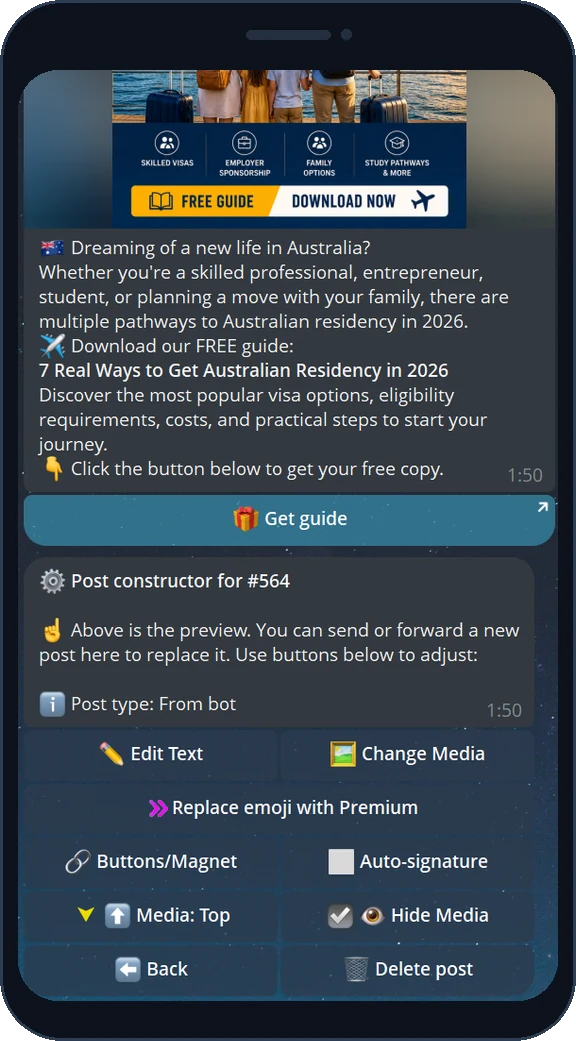
In the post constructor open "Buttons/Magnet", pick the magnet and choose the button label.
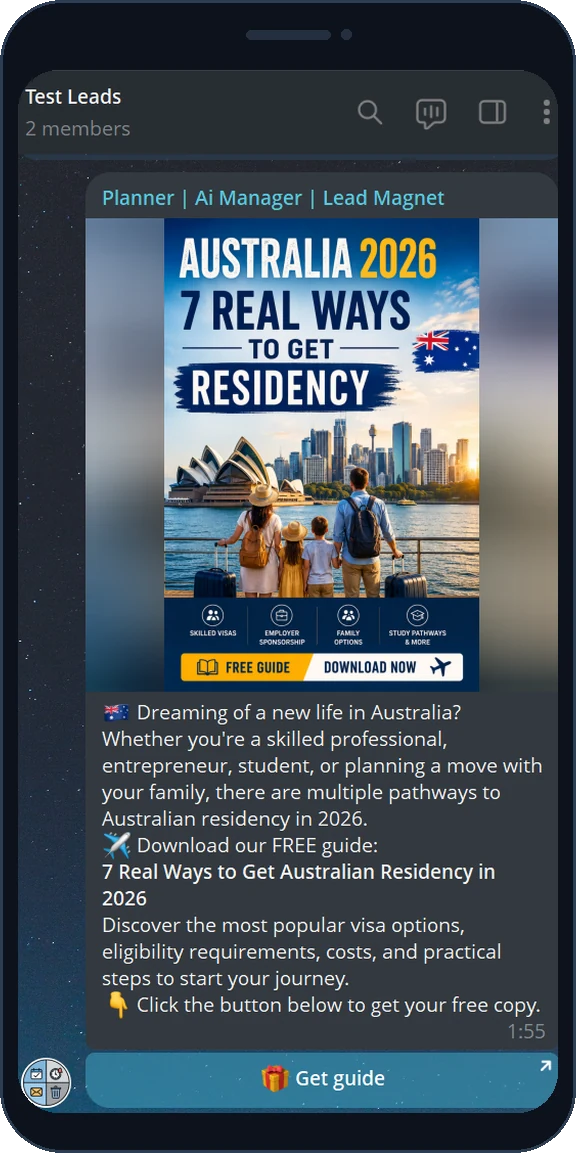
The button goes live under your ad post - or under an advertiser's request you accept.
It checks the subscription or chat join and sends the gift automatically, while you watch the funnel.
A lead magnet is a bonus the bot gives only after someone joins your channel or chat: a PDF, checklist, guide, promo code, link or any message. The bot builds a deep link like t.me/bot?start=lm_… that works inside any post or advertiser request - the reader taps it, joins via a public @username or private invite link, and gets the gift.
Instead of selling a plain ad slot, you sell a mechanic that collects subscribers. Every tap becomes a tracked step of a funnel, so an ad keeps growing your audience long after it was published - on autopilot.
On the free plan you get 1 active lead magnet with a file up to 20 MB; advertisers get 3 active magnets for free. Need more active magnets at once or larger files? Upgrade to Pro - the higher the plan, the more active magnets and the bigger the file limit.
The magnet card shows opens, confirmed subscriptions, deliveries and conversion (CR). With campaign sub-links you can compare placements from Telegram ads, external admins, websites or manual posts and see which ad actually brings subscribers.
Step 1 - Owner
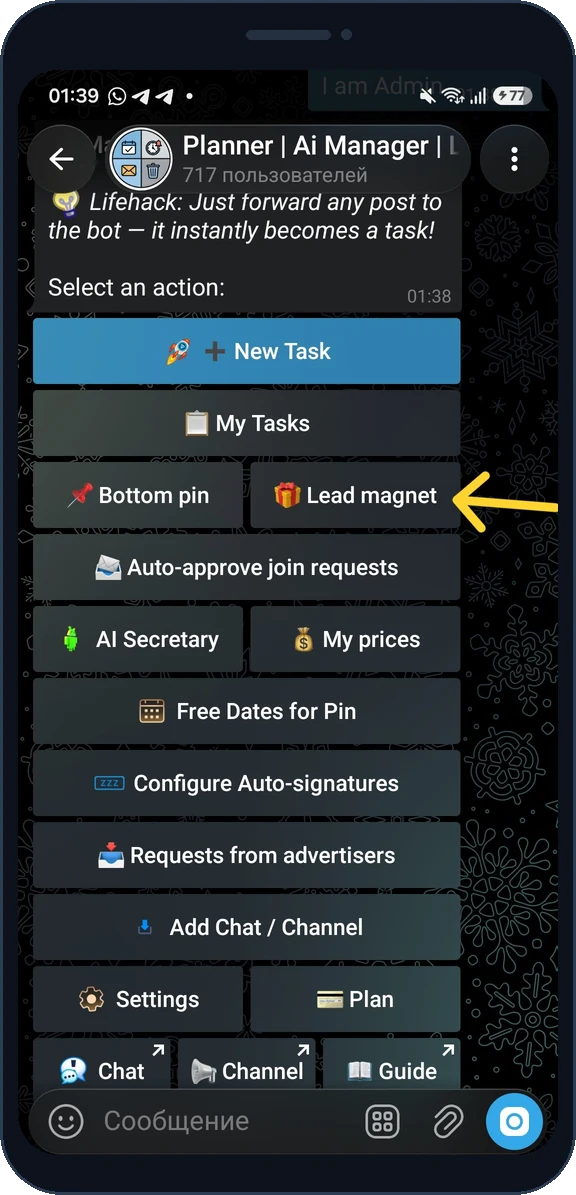
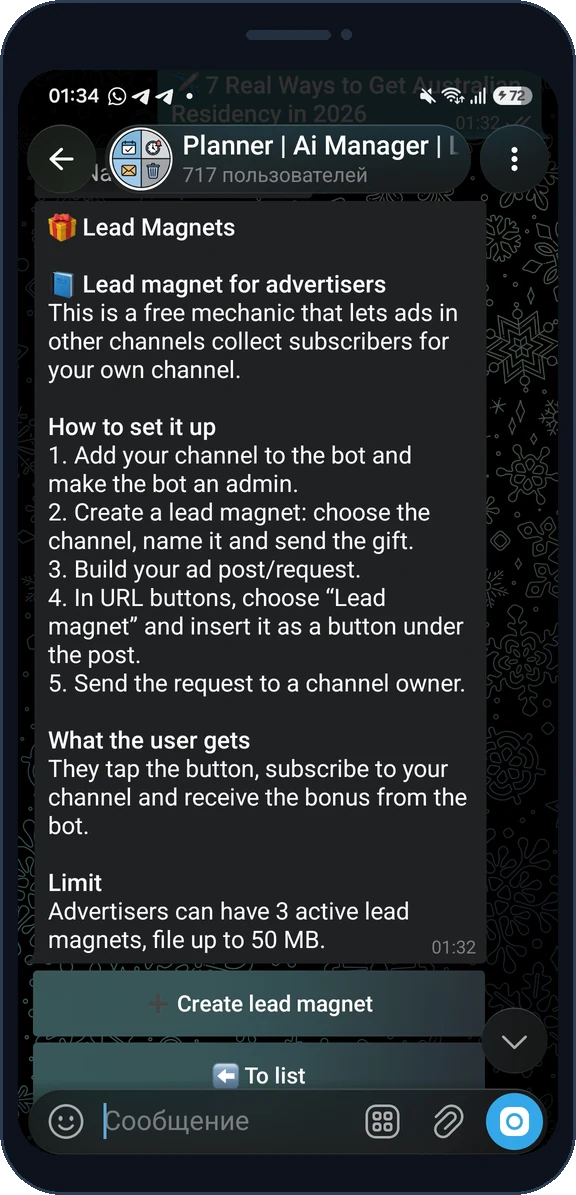
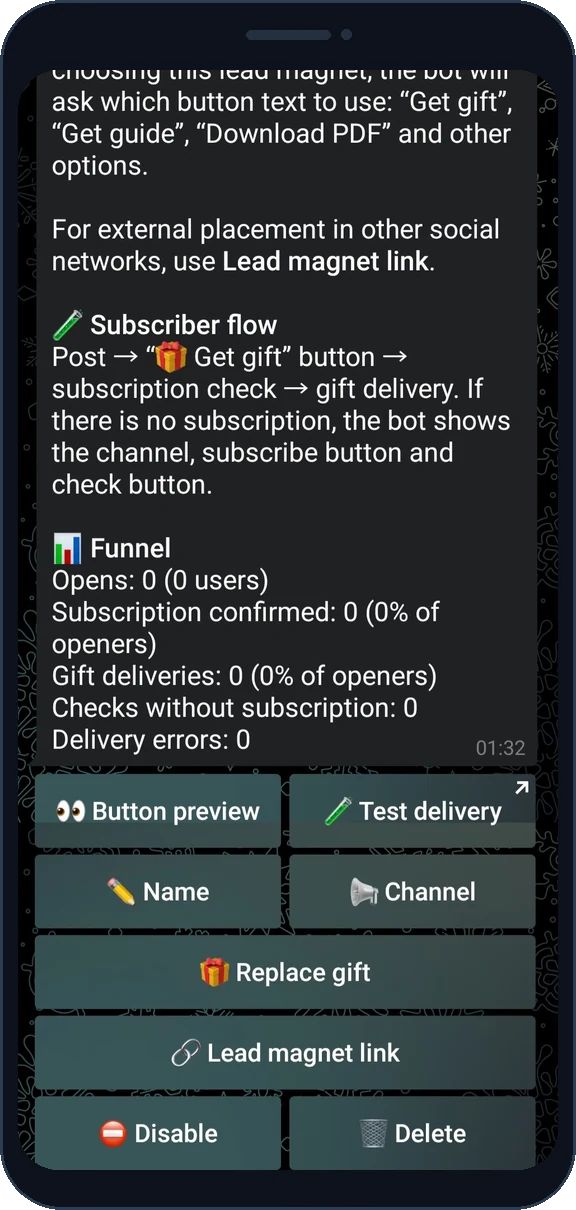
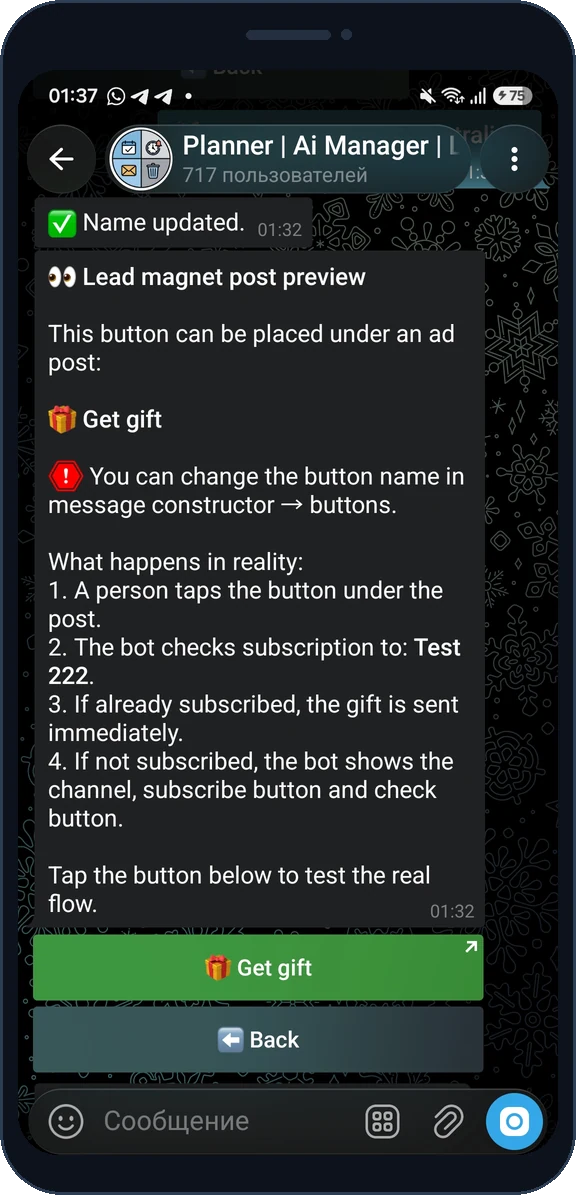
Step 2 - Owner
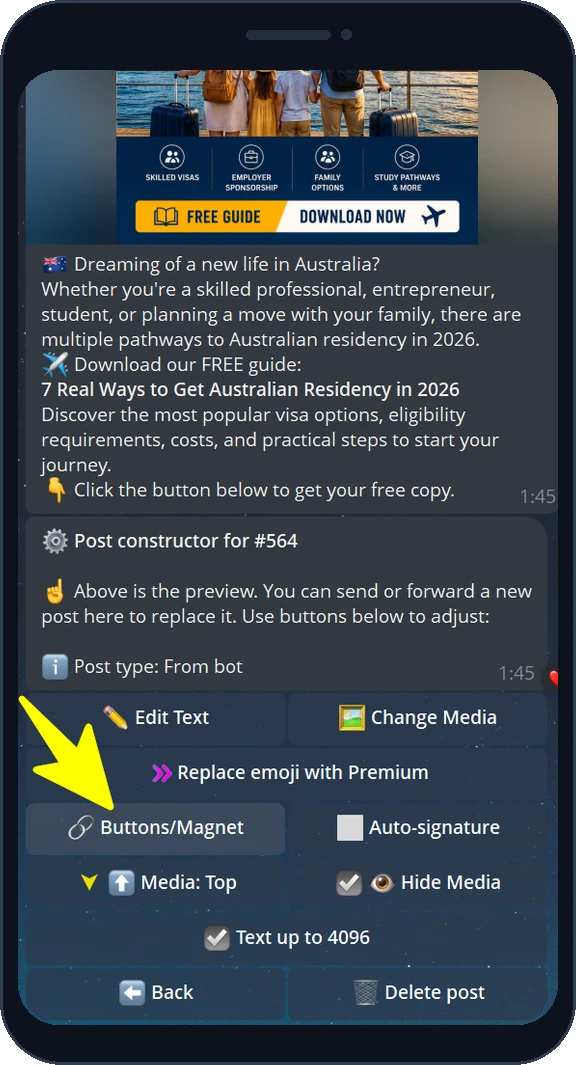
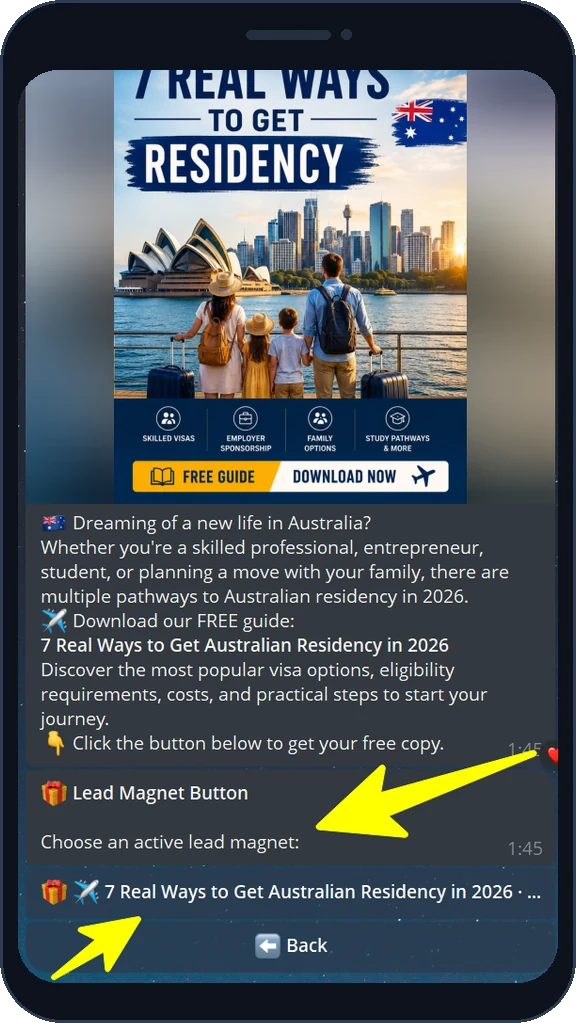
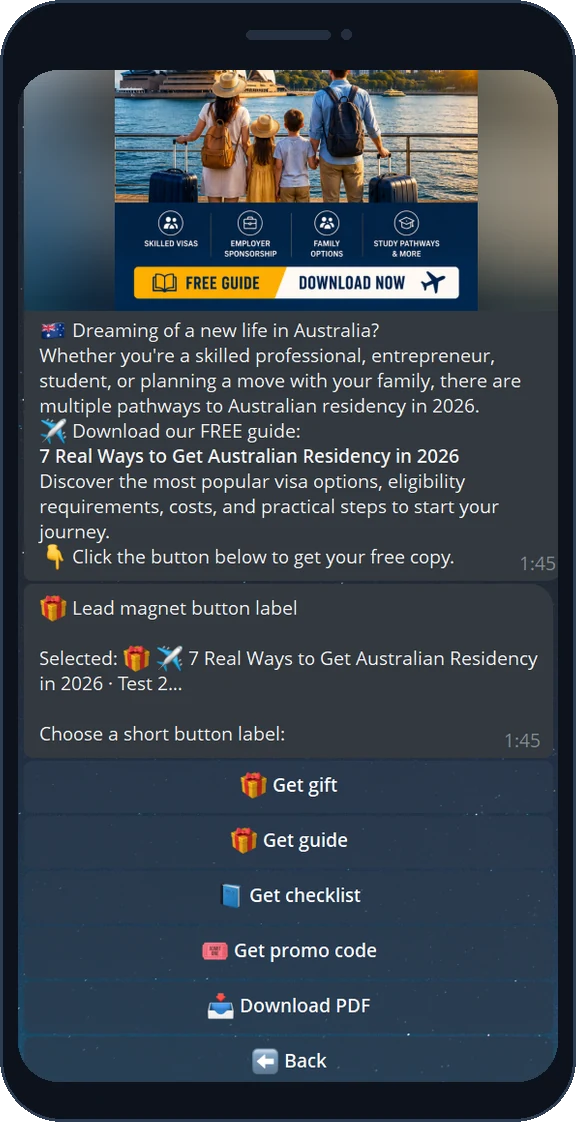
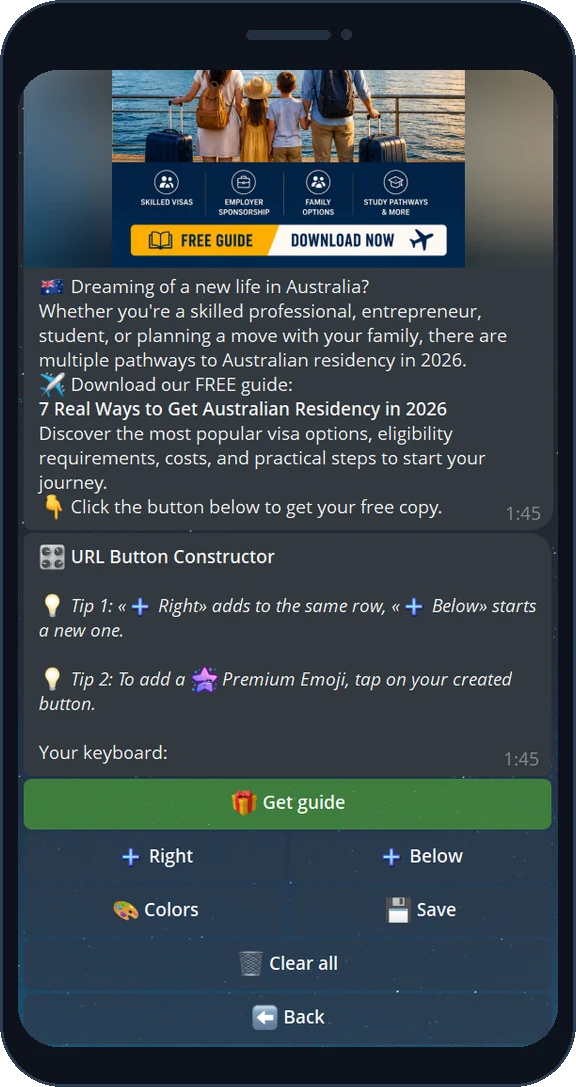
Step 3 - Subscriber
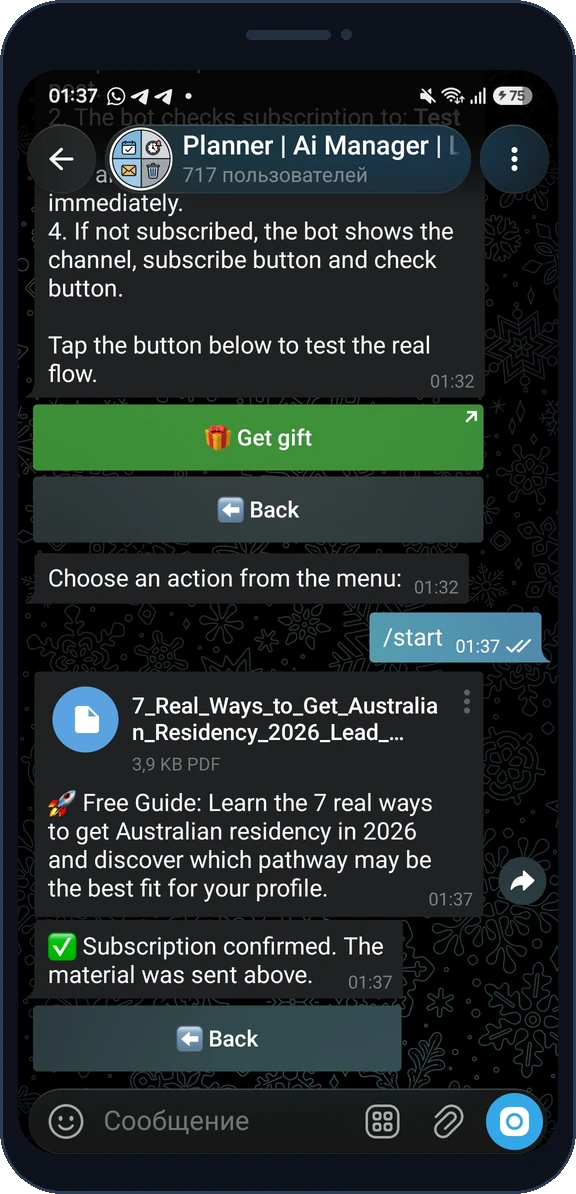
Buying ads in other channels? A lead magnet works for you too: attach your gift to the request you send a channel owner, or send the same ready post with the gift button to other admins. The ad starts collecting subscribers into your channel, and you still see opens, subscriptions, deliveries and CR. Advertisers get up to 3 active lead magnets for free, files up to 50 MB.
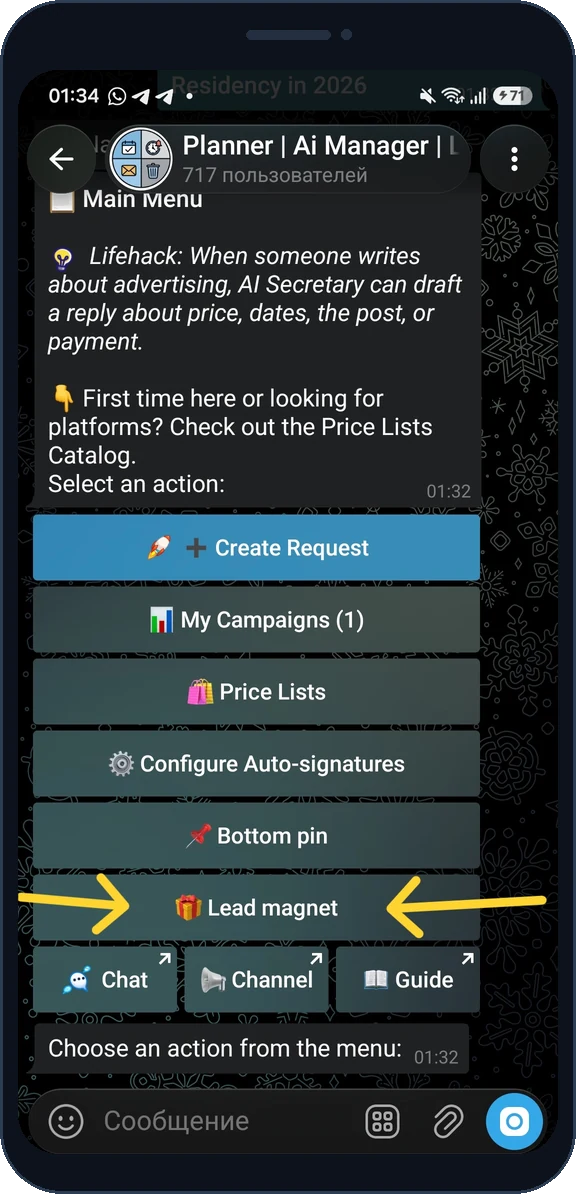
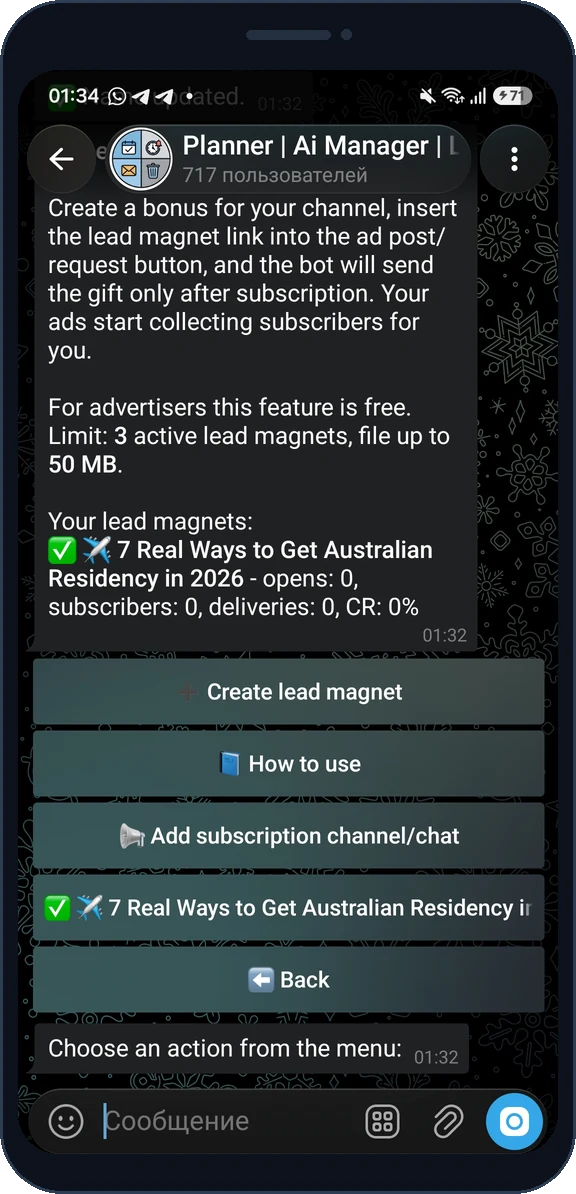
A lead magnet is a bonus the bot delivers only after a person joins your channel or chat - a PDF, checklist, guide, promo code, link or message. You attach it to a post as a "Get gift" button.
Yes, you can start for free: the free plan includes 1 active lead magnet with a file up to 20 MB, and advertisers get 3 active magnets for free. More active magnets and larger files are available on Pro.
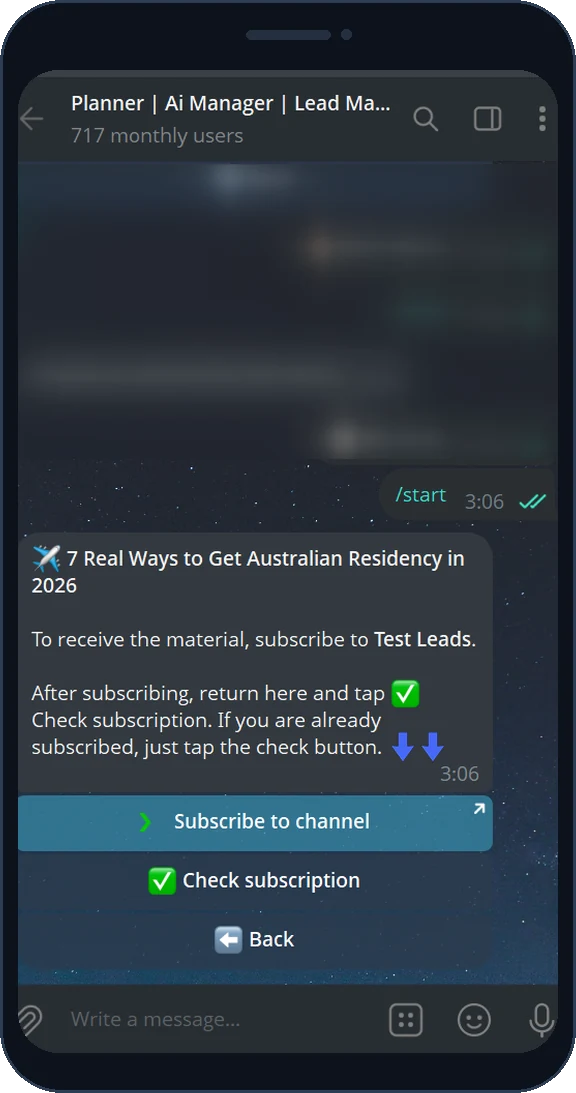
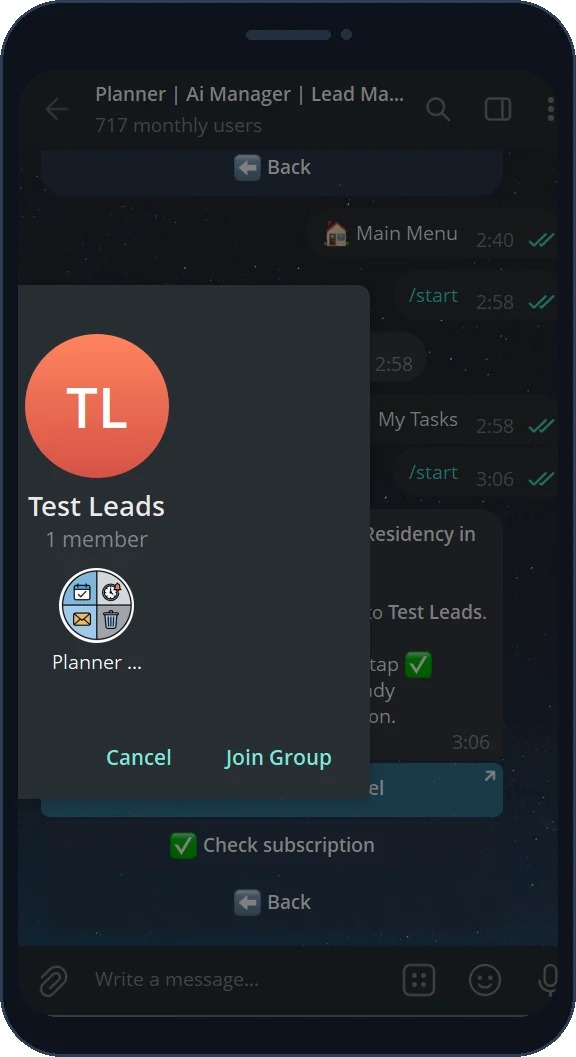
They tap the button under the post, the bot asks them to subscribe to your channel or chat, and after they tap "Check subscription" the gift is delivered automatically. If the person is already subscribed, the gift is sent immediately.
Yes. A public @username is not required. If the bot has the "Invite users" right in a private channel or chat, it creates an invite link and shows it in the subscription button.
Any single message: a PDF or file, text, photo, video, voice, promo code or a link. The bot stores it and re-sends the same content to every subscriber.
Open the lead magnet card: it shows opens, confirmed subscriptions, deliveries and conversion (CR). Campaign sub-links let you compare placements.
Yes. Build the post in the constructor, open "Buttons/Magnet", pick the magnet and the button label, then publish or accept the request - the gift button works the same way.