Request
Someone sends a request to join your group.
Free ReklamaPlanbot feature
ReklamaPlanbot handles requests to join your group on its own: it holds a short pause, checks each candidate against the CAS and LOLS anti-spam lists, approves clean accounts automatically, and declines spam or lets it in without the right to post.


How it works
You enable join requests in the group, and ReklamaPlanbot takes over: it holds a pause, checks the account against anti-spam lists, and makes a decision.
Someone sends a request to join your group.
The bot waits a set time (from 10 seconds to 24 hours) and checks the account against the CAS and LOLS lists.
A clean candidate is approved automatically; a spammer is declined or let in without the right to post; a deleted account is filtered out.
The bot sends a tidy summary of approvals and marks spam separately, without flooding you with messages.
Setup
Add ReklamaPlanbot to the group as an admin with the permission to add members.
In the group settings, open Group Type (Edit group) and turn on the Join Requests toggle.
Open the bot, choose the delay and the spam action, and it will start approving join requests in the chat automatically.
When people join a group by request, the chat feels like a community you have to get into, not just another open group. That helps filter out random users and bots at the door. The downside is that requests have to be processed manually, and real people arrive together with spammers. Auto-approve removes that routine: the bot decides for you by clear rules.
During the check, ReklamaPlanbot compares the account against the public anti-spam lists CAS (Combot Anti-Spam) and LOLS. If the account is listed as a spammer or turns out to be deleted, the bot does not let it post or declines the request, depending on your settings. Clean accounts pass automatically after the delay.
Set the delay with a preset (1–30 minutes) or a custom value in seconds - from 10 seconds to 24 hours. For spam, pick an action: decline or approve without the right to post. By default the bot admits without the right to post rather than declining, so a real person is never wrongly turned away. There are white and black lists, and you can apply the settings to all your groups at once with a single button - with a confirmation step. You stay in control: while the delay runs you can approve or decline a request manually, and a "process queue now" button handles everything immediately without waiting for the timer.
The bot keeps weekly and monthly statistics and sends reports: how many requests were approved and how much spam was filtered out. Approval notifications are grouped into one quiet summary so you are not buried in messages.
Screens
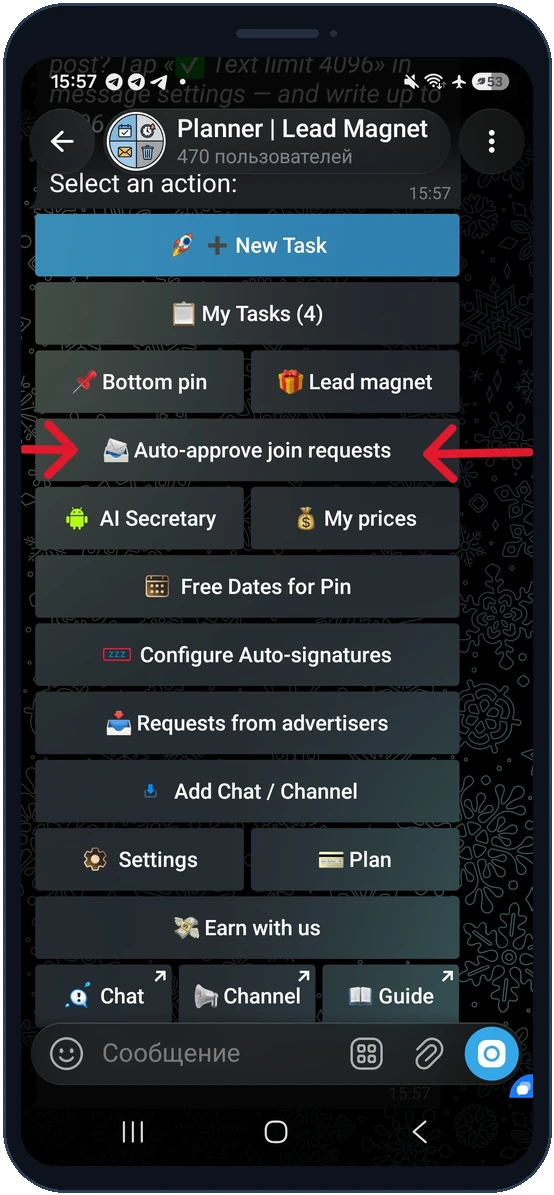
Turn it on with the "Auto-approve join requests" button right in the bot's main menu.
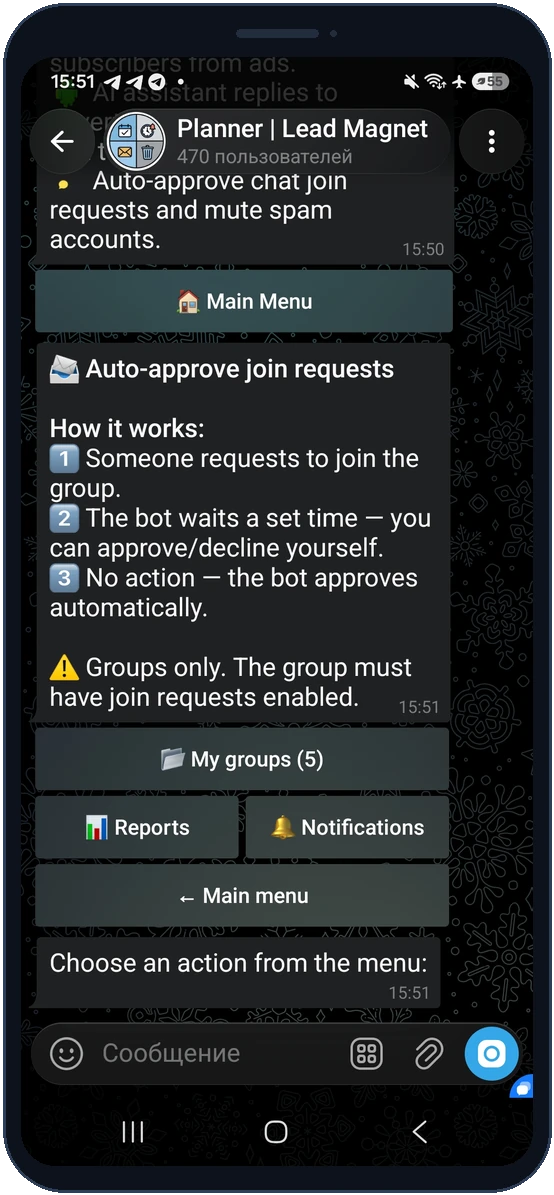
A simple 3-step flow: a person applies, the bot waits your set time, then approves on its own. Groups only.
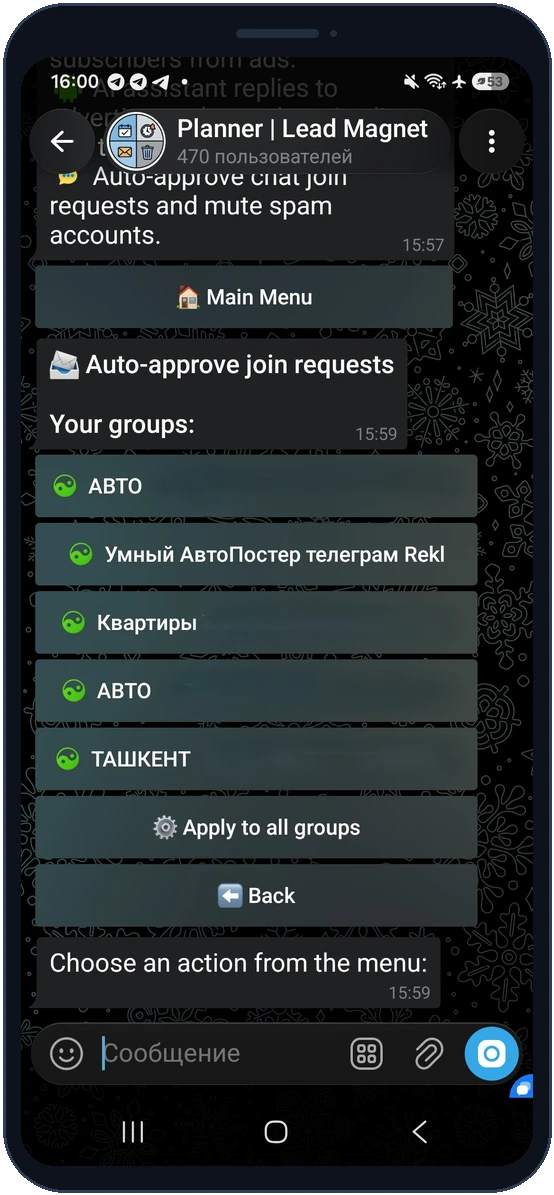
Pick a specific group or configure them all at once with "Apply to all groups".
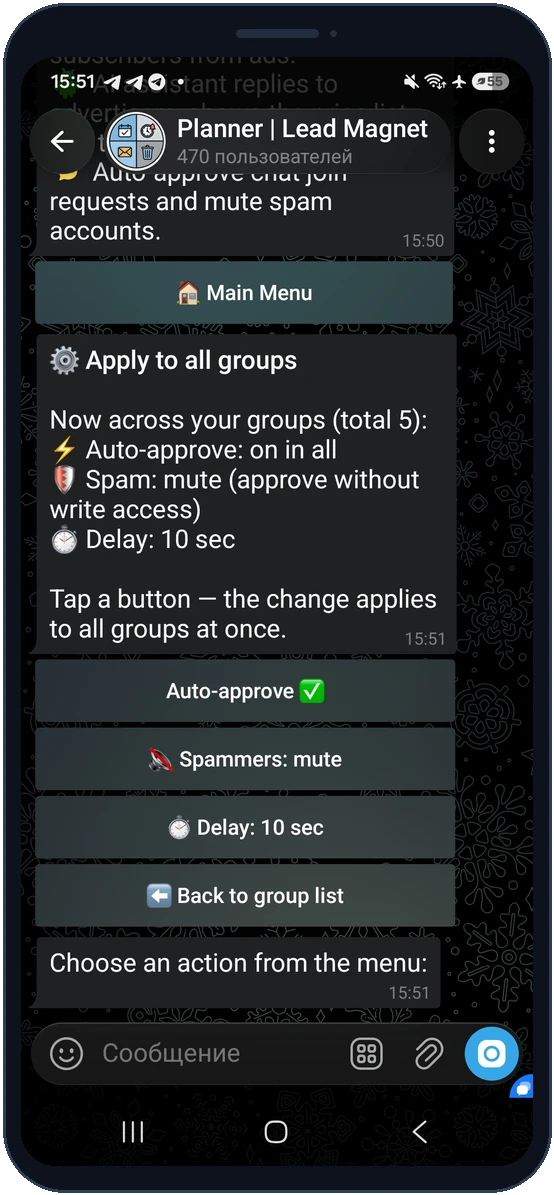
Set auto-approve, the spam action and the delay across all your groups in one place.
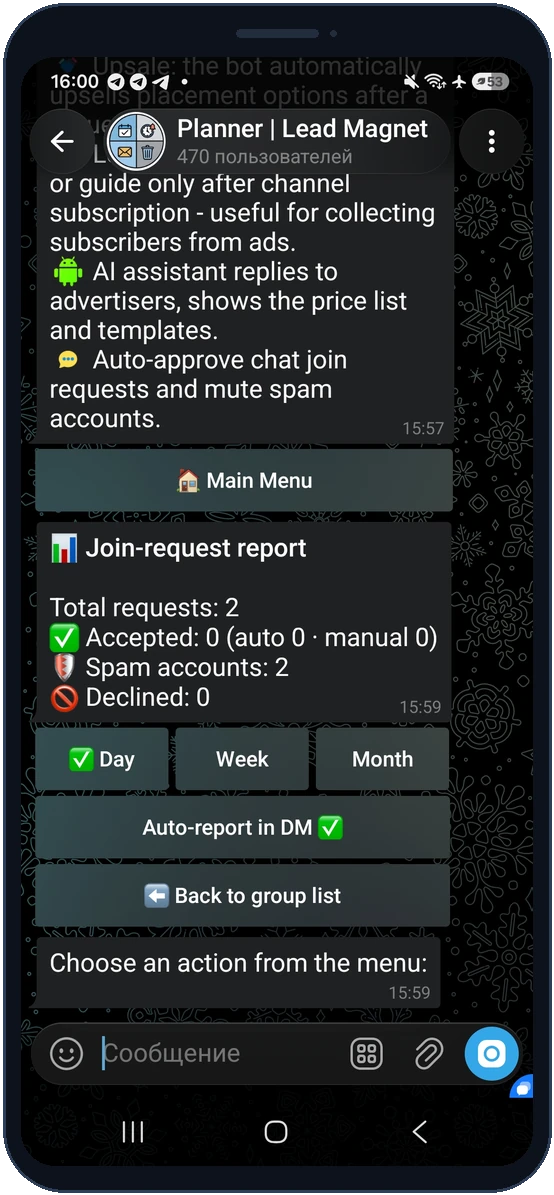
An "accepted / spam / declined" summary for day, week and month right in the group.
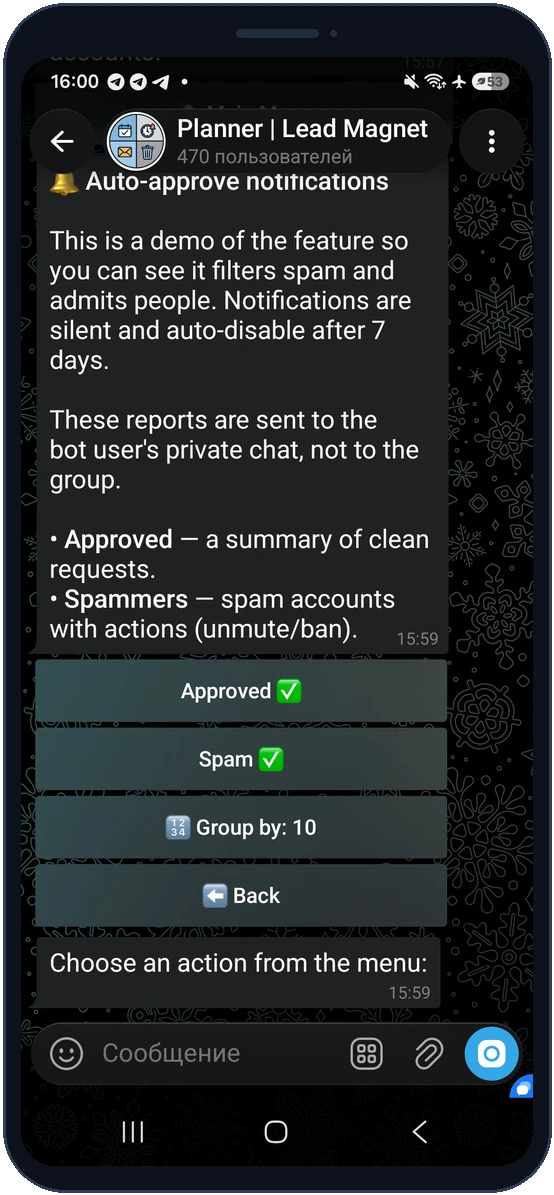
Accepted summaries and a spammer list with actions arrive in your DM, without a notification flood.
It is automatic approval of join requests: after a short delay the bot approves clean requests to join the chat itself and filters out spam using the CAS and LOLS lists.
Open the group settings, choose Group Type (Edit group), and turn on the Join Requests (Request Admin Approval) toggle. After that, new members can join only after an admin approves them. The bot must be an admin of the group with the permission to add members.
The feature is built for groups and chats. In a channel regular members do not post, so the "approve without the right to post" action is meaningless - that is why auto-approve works for groups.
These are public Telegram anti-spam lists. The bot compares a candidate against them and blocks posting or declines those listed as spammers.
No, auto-approve for join requests is a free ReklamaPlanbot feature.